
Passkeys are a secure and fastest way to log into your account. All passwords managers, such as Apple Passwords, Bitwarden, or even Windows Hello, supports this feature.
Adding a passkey
Go to your security settings, then click on Add in the Passkeys section.

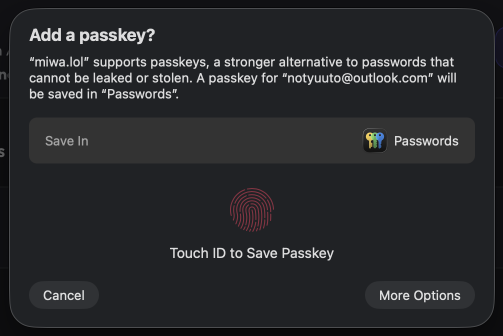
You will have a popup asking you to save a passkey. Depending on your password manager and OS, the UI will be different. For example, on macOS and iOS you'll probably have this:
After saving your passkey in your password manager, give it a name:
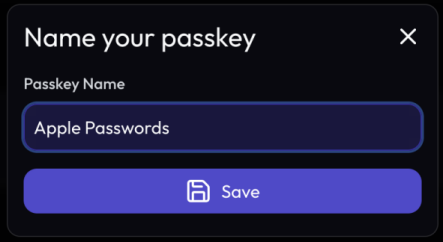
Done, your passkey has been added! You can now log into your Miwa.lol account using your passkey.