
The sidebar in the dashboard allows you to easily navigate through different sections to manage your profile and settings.
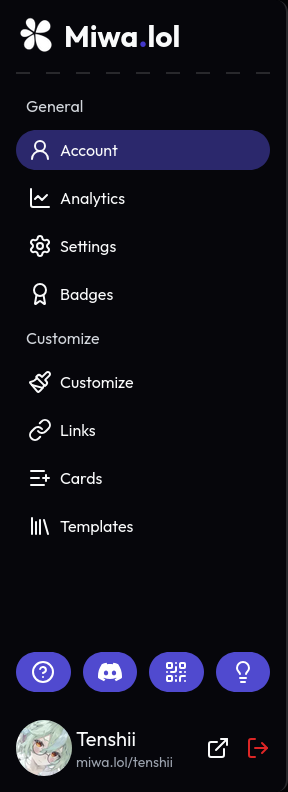
Here's an overview of the sections available in the dashboard:
- Account - View an overview of your account.
- Analytics - View analytics about your profile, such as the number of views and clicks, and other statistics.
- Settings - Update your account settings, such as your username, password, and two-factor authentication.
- Badges - View and manage the badges you have earned. Learn more
- Customize - The main section to customize your profile. You can change the theme, layout, colors, fonts, and other visual aspects of your profile. Learn more
- Links - Manage the links to your social media profiles and other websites. Learn more
- Cards - Manage the cards displayed on your profile. It's a great way to showcase content, such as a Discord server, your Discord presence, or other external content. Learn more
- Templates - Browse and apply pre-made templates to quickly set up your profile. Learn more
- - This website
- - Redirects to our Discord server.
- - Get a QR code to scan or share to access your Miwa.lol profile.
- - Gives you ways to make suggestions for Miwa.lol.
- Your profile, which you can access by clicking or miwa.lol/<username>.