
Because Jellyfin is a service you self-host, you need a bit more of configuration to set up a Jellyfin card.
Getting an API key
An API key is required to set up a Jellyfin card. Without one, Miwa.lol cannot fetch any data from your server.
To create an API key on your Jellyfin server:
- Open your Jellyfin web interface and sign in with an admin account.
- Click your profile icon in the top-right corner, then go to the Dashboard.
- In the sidebar, scroll down to the Advanced section and click API Keys.
- Click the button next to the API Keys heading.
- Enter an app name (for example,
Miwa.lol) so you can recognize the key later, then click OK. - Your new key will appear in the list. Copy it and paste it into the Jellyfin card settings on Miwa.lol.
Creating the card
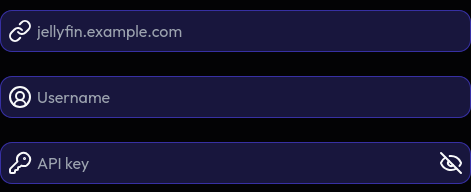
We ask for your server hostname (requires a public hostname), your Jellyfin username and your API key.
Troubleshooting
Miwa.lol won't connect to my server!
Your server needs to be accessible on the public Internet. We do not support servers behind a local network or VPNs, because we simply cannot access them.
Please also be aware that your server needs to have a trusted SSL certificate (self-signed certificates won't work).
I use an IP whitelist / firewall
Try whitelisting 162.19.153.188. If we ever change the IP we use to fetch data from your server, we will update it here!